Rubber Material
By Neil Blevins
Created On: Sept 23rd 2005
Updated On: July 5th 2026
Software: Blender or 3dsmax (vray)
or 3dsmax (scanline)
Here's a tutorial on how to create a basic rubber material.
Reference
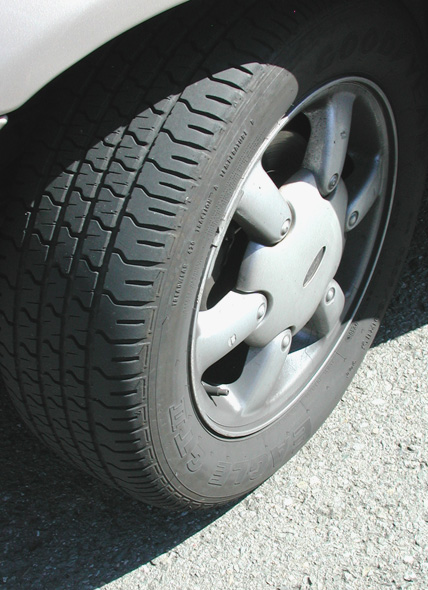
Here's a photo of real rubber (a car tire).
Software Agnostic Material
The basic ingredients are as follows:
- Shading: Oren Nayar (since the material is rough)
- Color: whatever color of rubber you're after
- Spec: super low gloss reflections (blurry), low intensity
- Bump: a high frequency noise
Ways to make it more realistic:
- Add some specular variation with a triplanar with a
more complex bitmap to show worn areas of the rubber.
- Replace the bump procedural noise with a triplanar with a
more complex bitmap to simulate more variation in the noise, including
small knicks and scratches.
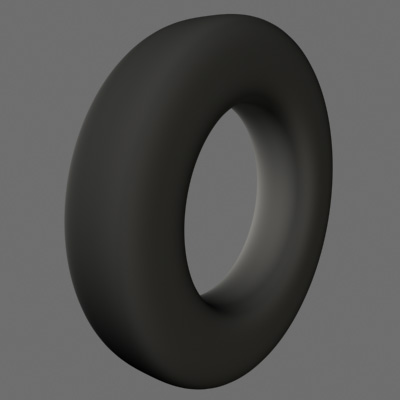
Here's the geometry I'll be using for the material tests:
Blender Example
Here's the shader for Blender...
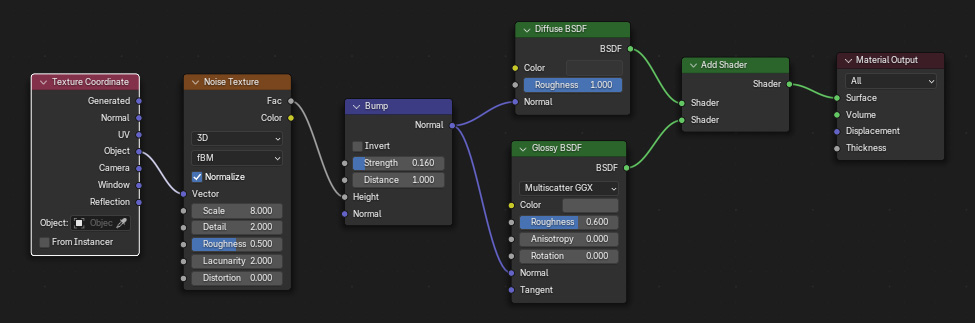
So for the diffuse of the material, we want to use a special kind of
shader called Oren Nayar. To do this, go into your Principled
BSDF, go to the Diffuse section, and increase the roughness (this is
diffuse roughness, not specular roughness) to a value above 0. That
gives the material that super matte rubbery
feel.
Then in the same node, set the color to whatever color you want (in
this case, a dark grey to match the tire)
Then set the specular roughness (underneath the metallic parameter) to
0.7 or so, this will create a
really glossy (blurry) and not too strong specular reflection.
Finally we want a small noisy bump. So create a Bump node, hook in a
Noise Texture, and hook that into a Texture Coordinate node. Set the
Coordinates to Object, so you apply the noise in 3d space. Increase the
Scale of the noise to make the noise very small in comparison to your
object. Reduce the strength of the Bump node so it's not too bumpy.
Then hook the Bump node into the Normal input of both of your shaders.
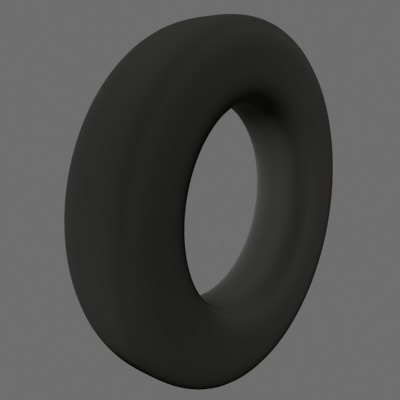
Here's the resulting render.
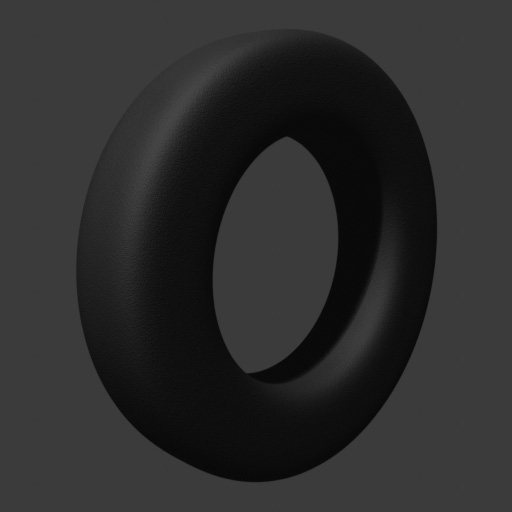
Here's the blend file, Blender 5.1: rubber_material_blender.zip
3dsmax (vray) Example
Here's the shader for 3dsmax for the vray renderer renderer.
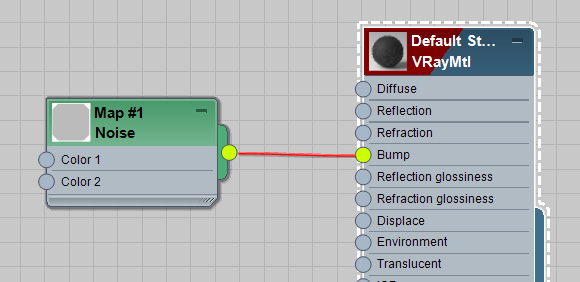
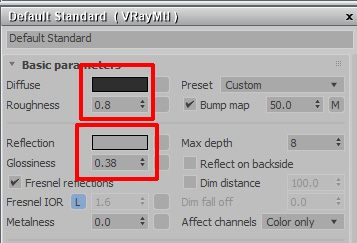
I start with a VrayMtl. We want the material to use a kind of Diffuse
shader called Oren Nayar, and we do this in vray by setting the diffuse
roughness, in this case to a value of 0.8, which gives your material
that super matte rubbery feel.
Set the Diffuse Color to whatever color you want (in this case, a dark
grey to match the tire).
For the Specular Reflection, reduce the glossiness (0.38) and make the
reflection color a darker grey. This will create a
really glossy (blurry) and not too strong specular reflection.
Now comes the bump, I just used a noise map set to fractal, and a
very small bump size...
Here's the resulting render.
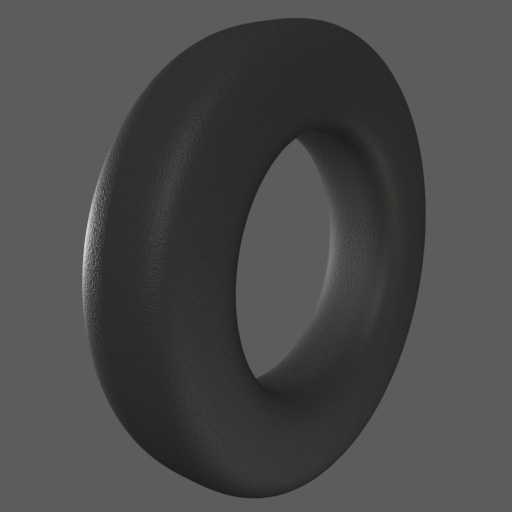
Here's the max file, 3dsmax 2022: rubber_material_3dsmax_vray.zip
3dsmax (scanline) Example
I started with a Standard material and gave it a dark grey color.
Then I changed the shader to Oren Nayar, and set the roughness to
0.7. The Oren Nayar shader brings some of the ambient color into the
diffuse area of the shader, which simulates what a very rough material
would do. Note, if you use the Oren Nayar shader inside of regular
3dsmax, sometimes you'll get unwanted colors on your material. For
example, if you choose a blue color and use Oren Nayar, sometimes
you'll see a slight yellow color on your material. This is a bug in
max, and only appears in some lighting conditions.
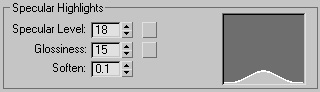
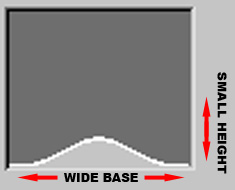
Next comes the spec, Blinn with a wide base, but a small
height. Also note, different types of rubber can be more or less
specular, for example, the tire photograph above has very little
specular, so adjust the strength to match your reference.
Now comes the bump, I just used a noise map set to fractal, and a
very small bump size...
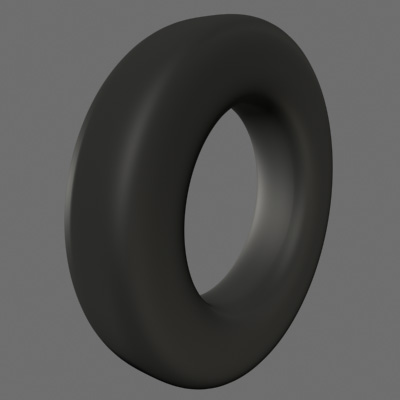
Here's the resulting render.
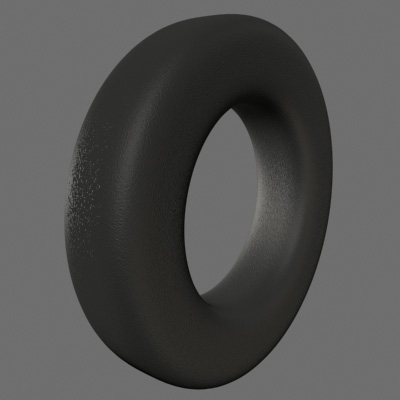
Here's the max file, 3dsmax 2022: rubber_material_3dsmax_scanline.zip
This site is ©2026 by Neil Blevins, All rights
are reserved.
To see hundreds of other tutorials similar to this one, visit the
Neil Blevins Education Site