The Difference Between General
And Specific Patterns By Neil Blevins Created On: Dec 8th 2025 Software: Any
When making 3d artwork, there are many different ways to go about
creating and applying textures to your objects, but one of my favorites
ways of doing this is splitting things up into Materials
that require General Patterns, Specific Patterns, or a combination of
both. This short
tutorial explains these two pattern categories and why splitting them
up can help make the shading process much faster.
You have two choices with this lesson, watch the video below, or
read the full text.
Materials, Shaders and Patterns
In a standard 3d shading pipeline, you have materials
assigned to objects. A material can have 1 or more shaders, the shader
contains the light reflecting properties of the material. Then each
shaders can be modified by Patterns. Patterns modify the parameters of
the shaders, like the color, the bumpiness, how reflective it is, etc.
The majority of your time when setting up materials is spent making
patterns.
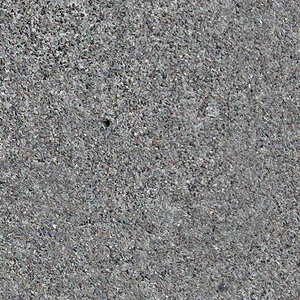
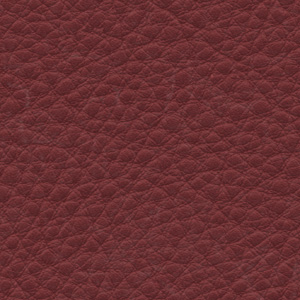
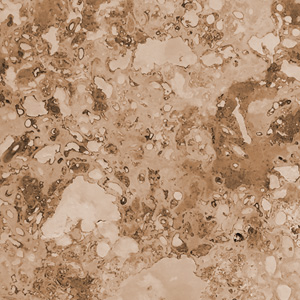
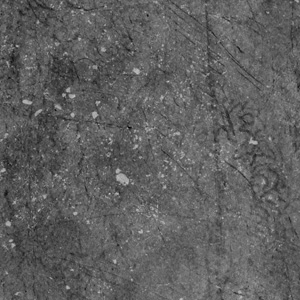
Here's patterns for the color of concrete, the color of leather, the
color of marble, and the bumpiness of a worn painted surface.
Definitions
So let's define General and Specific Patterns.
General
Patterns: General Patterns
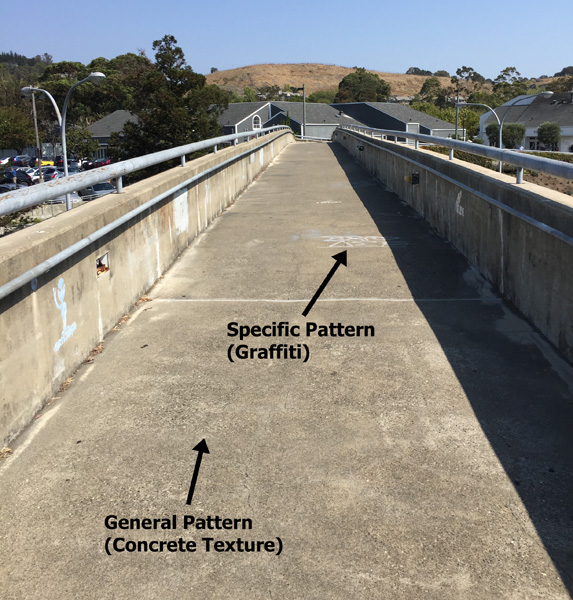
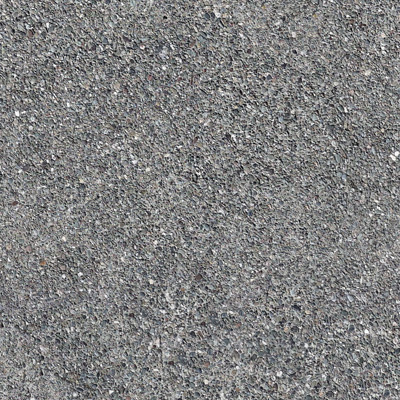
are somewhat generic, a material that covers your entire object without
a ton of variation. For example, a
clean cement walkway doesn't need to have a particular cement detail in
a specific location on the object, it just needs to look like cement
overall.
Specific
Patterns: Specific patterns
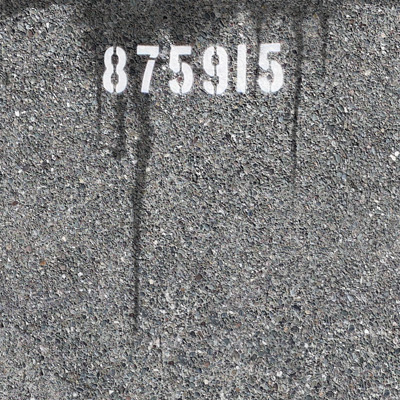
are patterns that appear in only very specific spots. For example, if
someone drops paint on of your cement walkway, that paint splash needs
be be in a specific location with a specific shape. Or if someone
paints some graffiti on the walkway.
Think of this with a traditional painters metaphor. Many painters start
by blocking
in the basic colors and light and shadow over the entire canvas, then
they add details
on top. So your basic color would be the General Patterns, and your
details would be the Specific Patterns.
General Patterns
Many people hand paint every object in their 3D scene. But this only
works if you have a limited number of objects, or an unlimited amount
of people or time. For objects that don't need special attention, it
makes far more sense to find faster ways to provide patterns to these
objects. Like for example, if I have 10,000 rocks in a giant pile, or
an enormous cement wall.
There are a number of workflows for creating and applying General
Patterns, here's some of the most common...
Procedural
Patterns, the pattern is created using algorithms that
don't require UVs on a surface
Blended
Box Maps (or triplanars), the pattern is created in a
paint program, but is then applied over a surface using a procedural
method.
Curvature
& Occlusion,
methods of finding various details in
your objects using an algorithm and changing the pattern based on those
details.
Specific Patterns
The most common specific patterns are things like drips, splashes,
logos, bricks on a wall, the scales on a dragon.
There are a number of workflows for creating and applying Specific
Patterns, here's some of the most common...
Painting details in a 2d paint program using UVs on your object.
Painting details in a 2d paint program and then projecting them
onto your 3d surface.
Painting details using texture painting inside your 3d
application, painting directly on your 3d object using UVs.
Why Split Them Up?
So the main reason to split up these tasks is efficiency.
If you have 10,000 rocks in the distance, you won't have time to hand
paint them. So apply General Patterns only, which can be done quite
quickly. But those 3 rocks that are
right beside the camera, paint those using Specific Patterns, which
takes longer, but hey, it's only 3 rocks! Or
use a combination of both, for the main rock material, use General
Patterns. But then for those nearer rocks, paint Specific Patterns
over top of the General Patterns using layering, for example moss or
dark water stains.
Legacy is another reason these tasks are many times split up. Some
larger companies have a specific "Shader" job and a specific
"Painter" job, usually the Shader handles the
Materials and General Patterns, Painters handles
Specific Patterns. Or in some companies you have Shader Writers and
Painters, in which case the Shader Writer
codes the shader, and almost everything else is handled by the Painter.
This split also exists in software. One of the leaders in texturing
software is Substance, which is actually 2 texturing products:
Substance
Designer and Substance Painter. Designer is more
about creating the shaders, and creating General Patterns using
procedurals and patterns driven by baked maps for curvature and
occlusion. Painter allows you to adjust the General Patterns by
painting specific details on your objects at specific locations. So
even software frequently splits patterning into these two types.
Conclusion
Learn more about General
and Specific Patterns here, but next time you're tasked with
texturing some objects in 3D, consider using a combination of General
and Specific Patterns instead of hand painting everything, you'll find
you can get much better results faster.